The Bird List Module has a number of options for generating
and saving lists. These include Source Lists, Personal Lists, Ringers' Lists, Photo
Lists, and SA Map
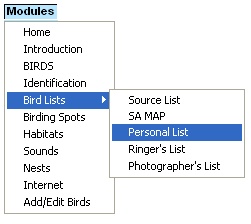
The lists are further managed in modules that edit, view,
search, design printouts, export, import and save lists etc.
Source Lists are pre-generated lists that are a resource
for creating other lists. For example, the list of Southern African birds is a source
list, from which all other lists for Southern Africa are created. There are source
lists for all countries, provinces, habitats and birding spots, and even a world
list for the traveling birder. A map-marker tool enables you to create your own
source list from the bird distribution data. Source lists can be used in other modules,
such as the personal list module, or printed out for use in the field. See
Source Lists for details.
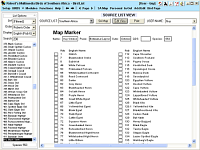 Source list - full view
The SA Map option is used
for generating source lists of any area in Southern Africa. You can zoom in and
select a birding spot, quarter-degree square, or draw an area. And select a time
of year. A map-marker list can also indicate the species status.
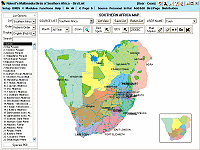 SA Map marker
Personal Lists are those that you create for your
personal records. You can keep multiple lists in a personal list hierarchy, and
edit, view, search, export, import and print out these lists. Many users can make
use of the program, and each will have their own "personal bird list database".
See Personal Lists for details.
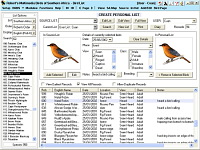 Create Personal List
Ringers' Lists and Photo Lists are very similar to Personal Lists, except
they work off the ring or photo number, and not the bird number. The Ringer List
output has been designed for export as a list to SAFRING.
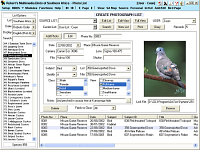 Photo List module
Manipulating and outputting list data is done with [Edit
View], [Full View], [Search], [Print Preview], [In/Out] for importing and exporting,
etc.
|