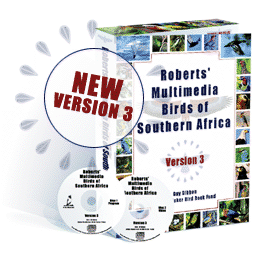
One of the
most advanced and comprehensive birding cd-roms available,
the program includes the following modules;
Introduction
Family pages, including interactive
list, short field-guide text, and maps
Bird pages, including illustrations,
maps, full text, photos, sounds, videos, rare bird data, alternative names, scientific
names explained, and personal notes.
Similar Bird comparison from
both bird page and ID module
Bird Identification using
GISS (general impression, size and shape), Plumage, Habitat, Behaviour and Distribution
Bird Lists (Source Lists,
interactive Map, Personal lists, Ringers Lists, Photo Lists, Search Lists, Import/Export
lists)
Add/Edit birds to edit species
names and numbers, add new birds, and create your own bird pages
Birding Spots - where to
watch birds, with interactive map, texts, photos, and links to bird pages
Habitats - with bird lists,
habitat descriptions with interactive links, and photos with slide shows
Nest and Egg Identification
Sound Identification
Search Module for any bird
name or word in all texts
Help module
Setup Module for user preferences
and language settings
Screensaver
Habitat Soundtracks
Internet update capability
Multimedia Data
All multimedia data re-sourced
and edited to a higher standard
1700 illustrations re-scanned
to larger size
4000 photos re-scanned to
double size
892 bird sounds, full length
and mp3 quality.
679 bird videos re-edited
and saved with sync sound
500 nest photos
700 egg photos
16 habitat soundtracks
958 distribution maps colour-coded
to show relative density of distribution.
958 species texts updated
with over 70 new and split species.
Installation and Setup
The program is on two discs
to accommodate all the multimedia data.
Installation options vary
from a minimum 150MB, to standard 450MB, and full 1200MB.
Product registration is required,
and the program may only be registered to a single computer.
The program disc is required
to start the program.
User support available weekdays
8am-5pm.
Program design
Introductory home page for
quick and easy access to all modules
Windows-style program interface,
menus and short-cut buttons
permanent bird list links
all modules
Setup module for program
configuration and user preferences
Internet update of data and
program functions.
Introduction Module
an introduction to the CD-Rom
and all its interactive modules
an explanation of bird families
and their classification
notes on the birds module
and species text
an explanation of scientific
terminology and 'parts of a bird'
reviews of birding equipment
and techniques
acknowledgements to contributors
to the CD-Rom
List
options
bird list panel with multiple
display options
World list, Southern Africa
list, Personal list or "filtered" lists
sort by number, name or family
name
display language of English,
Afrikaans, French, German and Scientific
choose from Roberts 6 or
Roberts 7 names
quick-type search box
list total reported
alphabetical family list
Family
pages
108 family pages operate
as a multimedia field guide
selected species indicated
by red dots and name pop-ups
bird sound, field guide text,
distribution map, alternative names and numbers for selected bird
family text option
to view any bird page,
click name in list, or illustration, or bird page button, or shortcut icon
Bird
pages
958 bird pages with text,
maps, illustrations, photos, sounds and videos
text includes 'field-guide'
text
full Roberts 6 text
species texts updated for
over 70 new and split species
scientific names explained
alternative names
rare bird sightings
and your personal notes
distribution maps colour-coded
to show status (resident, breeding, migrant)
distribution maps have variable
colour density to show occurrence (uncommon, common, very common, abundant)
new pink rare bird distribution
colour-coded status bar shows
time of year for occurrence and breeding
endemic and red data species
indicated
click to enlarge illustrations
and photos to double size
full length mp3 quality bird
sounds
videos with sync-sound
click for full screen video
add bird page notes and link
these to bird lists.
Bird page notes
add individual records and
notes to any bird, and link record to a bird list
bird page notes summarises
all the bird list records for a particular species
bird page notes appear as
part of bird page text.
Similar Birds
compare similar birds
using a split bird page
compare illustrations, text,
maps, photos, and sounds.
Search Function
search for a word or
name in all texts (species text, birding spots, habitats, and introduction).
Identification Module
The identification module uses a number of simple observations to narrow down the
list of possible species.
powerful new filter logic
with multiple selections for observations for inclusive rather than exclusive sorting
new filter option allows
you to both add or delete ID selections, and monitor the effect
powerful new GISS option
(general impression, size and shape) for generating a shortlist
new colour and plumage keys
habitat, distribution, activity,
sound, nest and egg options
"view" option for
type of illustration (groups, species, flight, nests, eggs)
display option to select
the size and number of images
"similar species"
option for detailed comparison
page through the images using
the forward > and back < arrows
double-click on a bird to
view the bird page
use the ID module to pre-select
a list for other modules.
Birding Spots
This module is about where and when to go birding, and what birds to look for. A
map of Southern Africa zooms
to a selected region with birding spots indicated by red dots. You can select your
region from the map, or an individual spot from the index
zoom and scroll functions
on map
updated texts and maps, and
additional photos
add your own personal birding
spots
search function for where
to find a particular bird
overlay detailed map with
a bird distribution to search for likely birding spots
new text hyper-link from
bird name to bird pages
print the birding spot text,
bird list, map, and photos.
Bird
Lists
This module includes Source Lists, Personal Lists, Ringers Lists, Photo Lists, Search
Lists. The module uses;
Source
Lists
for use in other modules
of the cd-rom
or creating personal lists
(select from source, add to personal)
or printing out for use in
the field
include countries, provinces,
birding spots, habitats, quarter-degree-squares, personal lists
map marker with zoomable
map generates bird lists of any area or route
month-of-year filter
Edit View for customized
design of lists and print output
options of language, number,
habitat, status, checkboxes, day-columns for field trips, font sizes.
SAMap
an interactive map for generating
a bird list
click to zoom in and scroll
around the map
select a list by birding
spot, quarter-degree-square, or draw a line or area
generate a list for a full
year, or any selected month
return the generated list
to any module
view individual bird status
(common resident, etc) from the map
overlay bird distributions on
detailed touring map.
Personal Lists
dual-picture interface for
adding species
individual Micrososft Access
database records each users lists
list hierarchy of countries
and provinces
diary for notes associated
with list
list fields include date,
place, view (seen, heard etc), class (male, female etc), breeding category, and
species notes
real-time updating of list
data on view
editing lock to avoid overwriting
data
Edit View
Full View
sort list by field options.
Ringers Lists
formatted for SAFRING data
entry and export
'dual-picture' interface
"fields to clear"
options for adding new rings and details
editing lock
Photo Lists
includes camera and photo
details
variable options for adding
new photos and details
linking to digital photos
listing of alternative subjects
(animals, birding spots, etc)
Search
Lists
Search lists for specific
records containing any date, place or recorded data
Import/Export Lists
Import option for any list
and associated data field (place, date, breeding data, etc)
Export option for any details
ADU Birds in reserves (BIRP)
list export option.
Add/Edit Bird function
Keep your source bird lists
up to date
Edit any bird name or number
in any source list
Add new species to a regional
list from the World list
create new "split"
species for World list and sub-lists
create new bird pages with
multimedia including illustrations, photos, texts, maps, sounds and videos
add your own multimedia to
existing bird pages.
Habitat module
The habitat module presents
a colour-coded habitat map
Choosing a habitat displays
photographs, text and bird list, accompanied by a characteristic background soundtrack.
You can page between habitats,
browse associated bird lists, and open a the bird page.
slide show of habitat photos,
with adjustable time lapse, and background sounds
autoplay of bird list illustrations
and sounds
export habitat bird lists
to other modules
Sound
Module
The sound module is designed
for exploring and identifying bird sounds. Select from the bird sound characteristics
to create a shortlist of possible species
Selecting a character will
play a typical example sound
Ticking the selection box
will sort for similar sounds
multiple selection, add or
undo selected characteristic
auto-play of bird list
pre-filter option to create
shortlist by habitat, distribution, or ID module
export lists to other modules
bird page display linked
to selected bird
Nest and Egg Module
The nest and egg module
is for exploring and identifying bird nests and eggs
Select from the typical characteristics
to create a shortlist of possible species
multiple selection, add or
undo selected characteristic
egg identification module
with egg photos of 700 breeding species
500 nest photos
bird page display linked
to selected bird
pre-filter option to create
shortlist by habitat, distribution or ID module
export lists to other modules
Setup
Module
Setup option for program
configuration and user preferences program directory setup
sound and video playback
window colours, text and
font size
language selection
user selection (for bird
lists and notes)
help and tips
screensaver options
Help Module
explains the operation of
each function
describes typical operations
and uses of the program
context-sensitive help from
the [?] icon at the top right of the screen.
Internet
Roberts' Multimedia Version 3 is
designed for regular program via the internet. Updates that will include
program functions
multimedia
birding spots
rare bird data
Screensaver
Screensaver with over
1700 high-quality large-size (640x480) images, with captions
Screensaver can play
with habitat soundtracks.
Habitat Soundtracks
Sixteen seven-minute habitat
soundtracks from around Southern Africa provide continuous background atmosphere
Sound toggle button can be set
to switch soundtracks off
Setup can be used to switch
soundtracks on or off.
System Requirements

 Roberts' Multimedia: Version 3 Highlights